

You’re responsible for people, property, and operations. The stakes are high, and missteps are costly. If you’re figuring out how to hire security guards, the smartest path blends clear requirements, a risk-based plan, and a provider that unites trained professionals with technology like AI-enabled CCTV, live surveillance, access control, and rapid emergency response. That’s how you get reliable coverage on day one—and keep it that way.
Quick Answer
To hire security guards quickly and confidently, define risks, write post orders, and engage a vetted provider that combines licensed guards with CCTV, live monitoring, and access control. Dynamic Securities deploys trained guards and technology across major Canadian cities with online guard booking, real-time guard tracking, and 24/7 response—ideal when you need coverage fast.
Overview
- What you’ll learn:
- Prerequisites before outreach: compliance, scope, site readiness
- A practical 12-step hiring process from assessment to steady-state
- Best practices that reduce risk and improve accountability
- Troubleshooting playbooks for coverage gaps and false alarms
- Advanced options: AI-powered security, remote viewing CCTV, mobile patrols
- Who this helps:
- Property managers for commercial offices, retail, and residential communities
- Operations leaders for warehouses, industrial facilities, and construction sites
- Event and temporary site coordinators who need surge coverage
- Outcome: A guard program that’s right-sized, technology-enabled, and measurable from day one.
Before You Start (Prerequisites)
Starting strong prevents rework. Use these prerequisites to align stakeholders and speed vendor selection.
Compliance and Requirements
- Licensing and insurance:
- Confirm applicable guard licensing regulations and vendor liability coverage.
- Require documented background checks, training records, and supervision model.
- Ask for proof of incident reporting standards and escalation paths.
- Site access and rules:
- Define access zones, restricted areas, visitor registration, and delivery procedures.
- Clarify local authority contact protocols for emergencies and alarm response.
- List PPE rules, contractor expectations, and any union or building policies.
- Data and privacy:
- Specify how camera footage, access logs, and guard reports are retained and shared.
- Ensure reporting tools protect sensitive information and comply with policy.
Scope, KPIs, and Post Orders
- Define objectives: Deter theft, control access, maintain safety, support tenants, or manage events.
- Right-size coverage:
- Decide on hours: business hours, overnights, weekends, or 24/7.
- Choose roles: concierge/front desk, static posts, patrol/marshalling, mobile patrols.
- Set response expectations: alarm response, incident containment, and escalation.
- Measurable KPIs:
- On-time attendance and verified patrols via real-time guard tracking.
- Incident rates by type (trespass, shoplifting, vandalism) and time of day.
- Visitor handling time, access exceptions, and closure of corrective actions.
Technology Readiness
- CCTV and live surveillance: Identify blind spots and high-risk areas; plan camera placement and monitoring coverage.
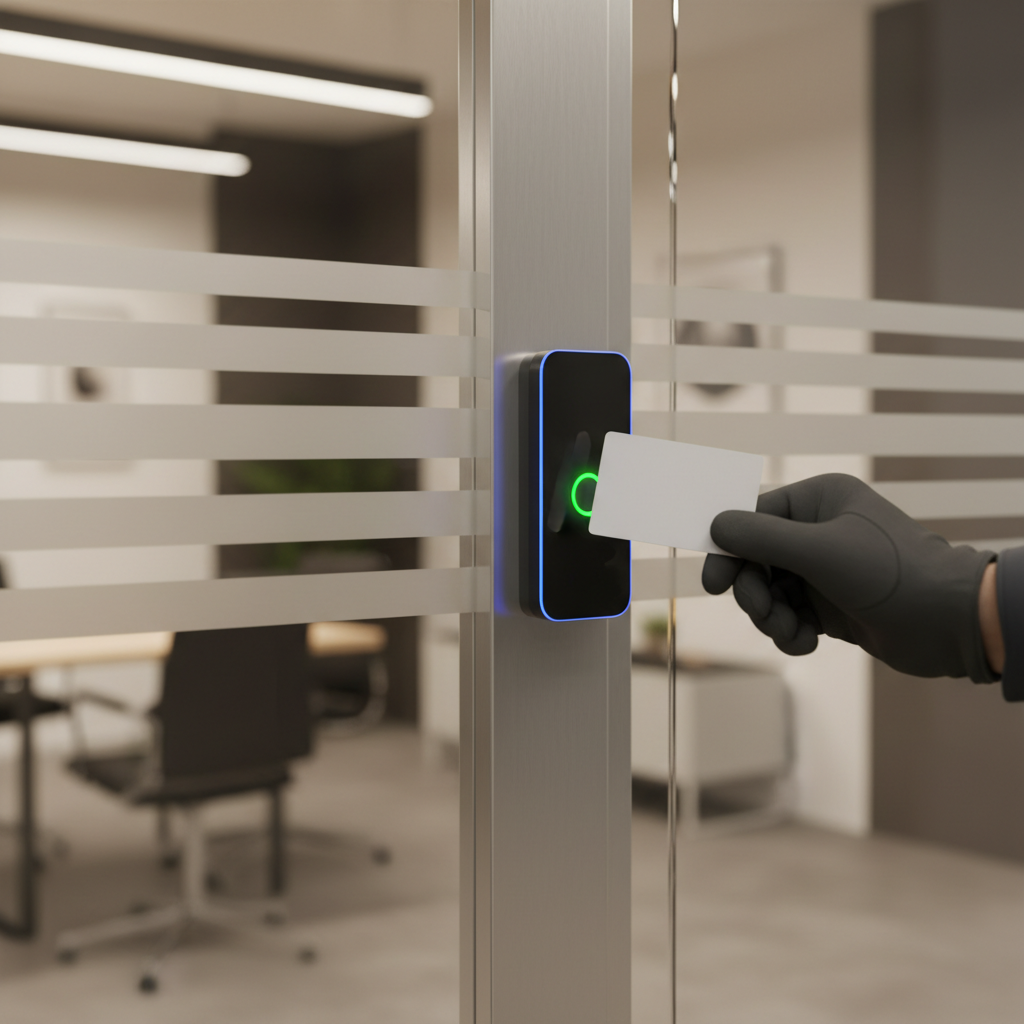
- Access control systems: Confirm door readers, credentials, schedules, and emergency overrides.
- Communications stack: Radios, panic buttons, incident reporting apps, and notification channels.
- Integration: Ensure guard operations align with your building systems and alarm response services.
When these boxes are checked, the rest moves faster—vendors can propose accurate staffing, and your team can measure outcomes from day one.
Step-by-Step: How to Hire Security Guards
Use this practical sequence to go from risk review to a stable, accountable program.
Phase 1 — Plan and Scope
- Assess risks and goals.
- Walk the site to identify entry points, high-value areas, and patterns (e.g., overnight trespass or daytime crowding).
- Document past incidents and hotspots—pair them with camera zones or access rules you want enforced.
- Outcome: a concise risk summary to anchor staffing and technology needs.
- Draft post orders and coverage schedule.
- Write specific tasks: lobby watch, loading dock checks, parking lot patrols, contractor escorts, visitor management.
- Set cadence: patrol frequency, door checks, daily openings/closings, and report deadlines.
- Outcome: a clear playbook that reduces ambiguity on shift one.
- Decide guard roles and mix.
- Front desk/concierge for Class-A offices and residential communities.
- Static posts for entrances, docks, and equipment yards that require constant presence.
- Patrol or mobile for wide areas like warehouses and construction perimeters.
- Augment with mobile patrol security where full-time posts aren’t necessary.
Phase 2 — Vet Providers
- Shortlist providers and request proposals.
- Favor integrated providers that combine guards with AI-powered security, CCTV cameras installation, and live surveillance.
- Request sample reports and dashboards to preview transparency and data quality.
- Ask about surge support for events and emergency response coverage.
- Verify training, screening, and supervision.
- Require proof of training, background checks, and field supervision structure.
- Confirm relief and replacement policies to prevent no-show risk.
- Evaluate customer references in environments similar to yours.
- Confirm the technology stack.
- Look for 24/7 security monitoring, remote viewing CCTV, and access control systems expertise.
- Ensure guard tours are verified with real-time guard tracking and geofenced patrols.
- Check integration with your alarms and escalation workflow.
Phase 3 — Pilot and Launch
- Conduct a joint site walk-through.
- Align on posts, patrol routes, camera views, and incident priorities.
- Finalize SOPs: visitor policy, contractor verification, after-hours rules, and emergency playbooks.
- Outcome: shared understanding before the first shift.
- Run a controlled pilot.
- Start with limited hours or a subset of posts to validate coverage and reporting.
- Collect KPI baselines: attendance, incident rates, response times, and ticket closure.
- Tune camera zones, access schedules, and reporting templates.
- Launch with online booking and monitoring.
- Use online guard booking to finalize schedules and replacements.
- Enable live surveillance to support on-site guards during higher-risk windows.
- Confirm contact trees for alarms and emergency response security.
Phase 4 — Measure and Improve
- Monitor performance in real time.
- Leverage real-time guard tracking for verified patrols and post coverage.
- Hold daily or weekly huddles to review incidents and preventive actions.
- Share summaries with stakeholders so everyone sees progress.
- Tune access and alarm response.
- Adjust access control rules to reduce tailgating and after-hours risks.
- Refine AI detection zones to cut false positives while catching real anomalies.
- Document what works so new staff ramp quickly.
- Quarterly review and optimization.
- Reassess staffing levels by season, occupancy, and incident data.
- Trim or add posts; convert some hours to patrol coverage if it maintains deterrence.
- Plan upgrades: better lighting, additional cameras, or managed remote viewing.
Need help now? Dynamic Securities provides trained guards, AI-enabled CCTV, access control setup, and 24/7 monitoring across major Canadian cities. You can book guards online and get transparent reporting from day one.
Best Practices That Keep Programs Strong
These habits separate reactive programs from resilient ones.
- Write crisp post orders: Clear, task-based instructions prevent drift and set expectations for relief guards.
- Use layers: Pair guards with cameras, analytics, and access control to multiply deterrence and reduce blind spots.
- Standardize incident reporting: Predefined categories and templates produce trendable data you can act on.
- Schedule supervision: Routine supervisor check-ins raise quality and reduce turnover.
- Close the loop: Track corrective actions to completion; surface recurring risks in monthly briefs.
- Train on customer service: Lobby and tenant-facing guards should de-escalate and assist, not just enforce.
- Plan for surge: Events, holidays, and construction milestones need scalable staffing and mobile patrols.
- Audit technology: Quarterly camera health checks, access logs, and alarm rules keep systems effective.
- Share wins: Communicate incident reductions and response improvements to keep stakeholders engaged.
Troubleshooting: Common Issues and Fixes
Even strong programs hit snags. Here’s how to correct course fast.
Coverage Gaps and No-Shows
- Symptom: Missed posts or late arrivals create exposure windows.
- Root causes: Scheduling conflicts, transit delays, thin relief pool.
- Fixes:
- Require GPS-verified check-ins and supervisor spot checks.
- Maintain a relief roster and enable rapid backfill via online booking.
- Use mobile patrols to bridge short-term coverage until a static post resumes.
False Alarms and Alert Fatigue
- Symptom: Frequent false alerts from cameras or access events reduce attention to real threats.
- Root causes: Overly sensitive AI zones, cluttered scenes, poorly tuned schedules.
- Fixes:
- Recalibrate AI detection for time-of-day and traffic patterns.
- Clean lenses, adjust lighting, and clear visual obstructions.
- Align door schedules with real occupancy to reduce off-hours alerts.
Communication Gaps
- Symptom: Tenants or managers don’t see progress or understand procedures.
- Root causes: Inconsistent reporting, scattered channels, unclear ownership.
- Fixes:
- Adopt consistent daily logs with photos and clear categories.
- Use shared dashboards for guard activity, incidents, and access exceptions.
- Hold short monthly reviews to align on trends and corrective actions.
Advanced Tips (Optional): Make Technology Do More
Modern programs extract more value by letting technology amplify people.
- AI-powered security: Use analytics to spot loitering after hours, detect perimeter breaches, and flag unusual motion.
- Remote viewing CCTV: Let supervisors or off-site monitors verify alarms and coach on-site guards in real time.
- Access intelligence: Combine badge data with patrol logs to identify tailgating or propped doors.
- Mobile patrols + static posts: For broad sites, add drive-by patrols to reinforce deterrence without overspending.
- Incident taxonomy: Standard labels (trespass, theft, vandalism, safety hazard) enable root-cause analysis and prevention.
- Seasonal playbooks: Adjust routes and checks for winter conditions, construction phases, or peak retail seasons.
Comparison: Guard Roles and When to Use Each
| Guard Role | Best For | Key Tasks | Tech Pairing |
|---|---|---|---|
| Concierge / Front Desk | Offices, residential communities | Visitor management, access control, tenant support | Access control systems, lobby cameras |
| Static Post | Entrances, docks, equipment yards | Badge checks, monitoring, deterrence | CCTV coverage of chokepoints |
| Patrol (On-Foot) | Warehouses, parking lots, campuses | Route checks, hazard spotting, door sweeps | Real-time guard tracking, radios |
| Mobile Patrol (Vehicle) | Large perimeters, multiple sites | Drive-by checks, alarm response, lock/unlock | GPS dispatch, remote viewing CCTV |
| Event / Executive Protection | Corporate events, VIP movements | Access control, crowd management, route planning | Portable cameras, radio comms |
Local Tips
- Tip 1: Plan guard routes around busy downtown cores and transit hubs in major Canadian cities (Toronto, Vancouver, Calgary) to deter loitering and tailgating during rush periods.
- Tip 2: In winter, add exterior slip-and-fall checks and dock inspections; coordinate mobile patrols for snow-event lock/unlock cycles and after-hours alarm response.
- Tip 3: For construction sites, stage cameras at perimeter fencing facing tool cribs and gates; pair with random-time mobile patrols to disrupt predictable patterns.
IMPORTANT: These tips align with Dynamic Securities’ guard services, AI-enabled CCTV, access control, and live monitoring across major Canadian cities.
Additional Resources
- Explore Dynamic’s GTA security guard services for offices, retail, and residential towers.
- Use guard booking online to request coverage or backfill shifts.
- Augment static posts with mobile patrols to cover larger areas efficiently.
FAQ
-
How do I verify a security provider is qualified?
Ask for proof of guard licensing, background checks, insurance, and a clear field supervision model. Review sample incident reports and dashboards to gauge transparency. Prioritize providers that combine trained personnel with technology (CCTV, AI analytics, access control) and can provide references in environments similar to yours.
-
What’s the best way to combine guards with cameras?
Start by placing cameras on entrances, docks, and blind spots. Use live monitoring to support guards after hours and during known risk windows. Integrate access control so guard activity, badge events, and video clips tell one story you can audit later.
-
How do I maintain quality across shifts?
Write specific post orders, verify patrols with real-time guard tracking, and schedule supervisor check-ins. Standardize daily logs, incident categories, and monthly reviews so trends are clear and corrective actions get closed.
-
When should I add mobile patrols?
Use mobile patrols for large perimeters, multiple small sites, or off-peak hours when a full-time post isn’t essential. They’re ideal for lock/unlock routines, alarm response, and visible deterrence across parking areas or construction perimeters.
-
How quickly can I launch coverage?
If your post orders and contact trees are ready, a vetted provider can often stage initial coverage quickly. Dynamic Securities streamlines this with online guard booking, real-time tracking, and integrated live monitoring to go live fast and maintain accountability.
Key Takeaways
- Hiring success starts with clear risks, post orders, and measurable KPIs.
- Blending licensed guards with AI-enabled CCTV and access control multiplies deterrence.
- Real-time guard tracking and standard reporting make performance visible.
- Mobile patrols and seasonal playbooks keep coverage efficient and adaptable.
- Quarterly reviews ensure your program evolves with your operations.
Conclusion
Hiring security guards isn’t just a staffing decision—it’s an operational strategy. When you clarify risks, write crisp post orders, and pair trained guards with cameras, analytics, and access control, you get a program that prevents incidents, responds fast, and proves its value with data. If you’re ready to move, Dynamic Securities can help you launch quickly with online booking, 24/7 monitoring, and transparent reporting across major Canadian cities.
- Ready to start? Book trained guards online and align on post orders this week.
- Cover wide areas smarter with mobile patrol security.
- Need local guidance? Explore GTA-focused guard services and get a tailored plan.


