

Every minute counts when you’re protecting people, property, and operations. If your facilities run after-hours, span multiple locations, or experience seasonal risk spikes, you can’t afford gaps. This guide breaks down 24/7 live surveillance benefits in clear, practical terms—and shows how Dynamic Securities blends licensed guards, AI detection, CCTV cameras, access control, and rapid emergency response to keep commercial, residential, and industrial environments protected around the clock.
Quick Summary
- What you’ll learn: What live surveillance is, why it matters, how it works, and how to roll it out fast—without overbuilding.
- Core value: Faster incident response, stronger deterrence, clear reporting, and safer day-to-day operations.
- Who it’s for: Property managers, business owners, and operations leaders across offices, retail, warehouses, construction, and residential communities.
- Why Dynamic Securities: Integrated approach—trained guards + AI-enabled CCTV + live monitoring + real-time guard tracking—for consistent outcomes.
- Primary topic: 24/7 live surveillance benefits you can apply today, supported by real deployment methods and checklists.
Contents
- Quick Answer
- Local Tips
- What Is 24/7 Live Surveillance?
- Why 24/7 Live Surveillance Benefits Matter
- How 24/7 Live Surveillance Works (Step-by-Step)
- Types of Deployment Models
- Best Practices That Improve Outcomes
- Tools and Resources
- Case Studies and Real-World Examples
- Pricing: What Drives Scope (No Numbers)
- How to Roll Out 24/7 Live Surveillance in 30 Days
- Compliance, Privacy, and Ethics
- Metrics, Reporting, and Continuous Improvement
- Common Mistakes to Avoid
- FAQ
- Conclusion + Key Takeaways
- Related Articles
Quick Answer
For Canadian multi-site operations and after-hours properties, 24/7 live surveillance benefits include rapid incident response, fewer losses, and transparent reporting. Dynamic Securities integrates live monitoring with licensed guards, AI detection, access control, and emergency response to keep sites protected in major Canadian cities—day and night.
Local Tips
- Tip 1: If your sites sit near high-traffic corridors (for example, Highway 401 in the GTA or Vancouver’s Cambie Corridor), angle cameras toward natural choke points like ramps, entrances, and exit lanes.
- Tip 2: Short winter daylight creates blind spots. Raise exterior lighting levels earlier, schedule more frequent patrols for parking lots, and verify camera IR coverage from late afternoon through early morning.
- Tip 3: On construction yards and warehouses, cover perimeter gates and loading bays with paired horn speakers for live audio talk-down. Operators can deter trespassers before they cross the fence line.
IMPORTANT: These tips work best when paired with site-specific AI rules and trained remote operators who verify alerts and coordinate on-the-ground response.
What Is 24/7 Live Surveillance?
Live surveillance means more than recording video. It combines intelligent cameras, always-on operators, and clear response playbooks so activity is detected, verified, and acted on in real time. That’s how you prevent losses—not just investigate them later.
Core components you can standardize
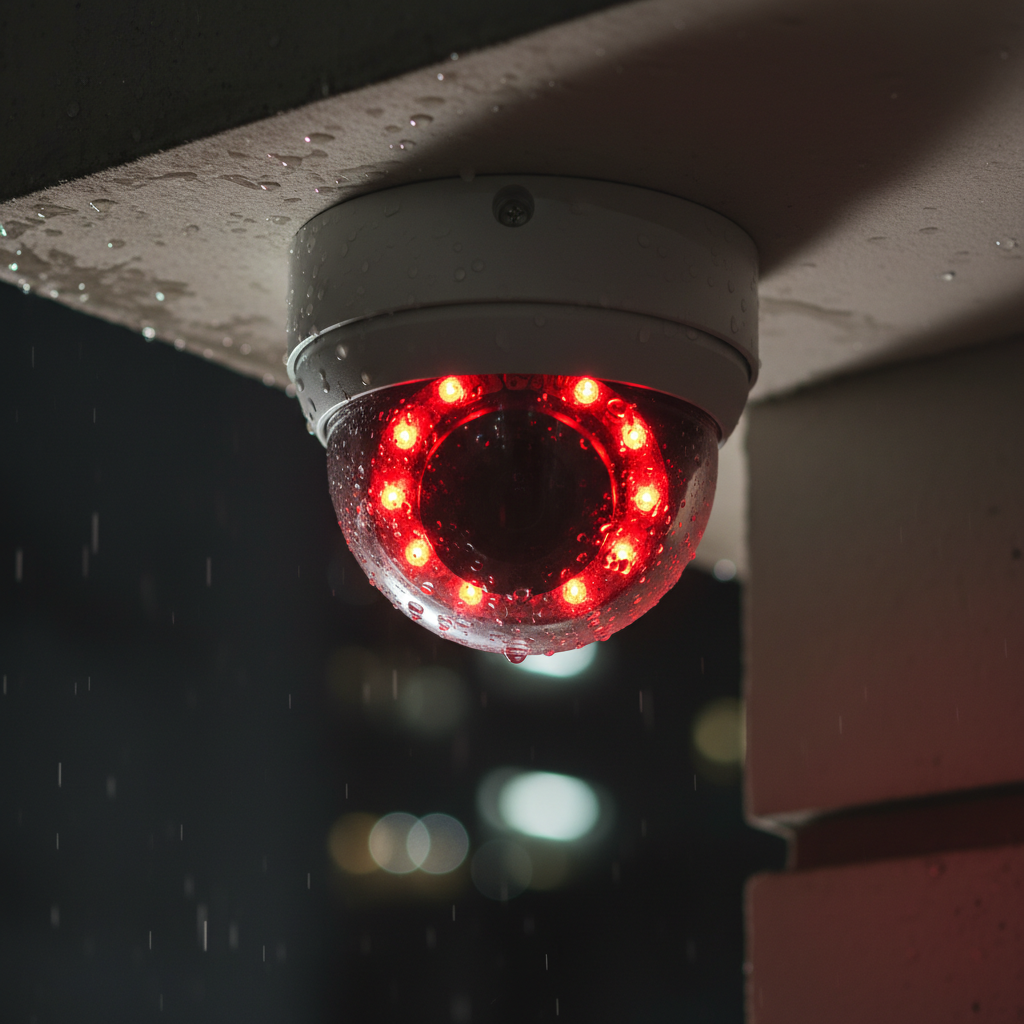
- AI-enabled CCTV cameras: Detect people, vehicles, loitering, line crossing, object removal, and more—even in low light.
- Live monitoring center: Operators watch prioritized alerts and feeds 24/7 and decide whether to talk down, dispatch guards, or notify authorities.
- On-site security guards: Licensed professionals who patrol, manage access, and coordinate with the monitoring team for swift intervention.
- Access control systems: Smart credentials, door schedules, and audit logs tied to nearby cameras for instant visual verification.
- Emergency response: Alarm response services and preplanned escalation paths when threats or safety incidents occur.
- Client visibility: Real-time guard tracking, time-stamped incident reports, and video bookmarks for accountability.
Where live monitoring fits best
- Commercial offices: Lobbies, elevator banks, mailrooms, and garages after-hours.
- Retail and shopping centers: Shrink reduction, dock control, storefront protection, and overnight activity verification.
- Warehouses and industrial: Yard perimeters, loading docks, high-value storage zones, and lone-worker safety.
- Construction sites: Tool cribs, fence lines, staging areas, and temporary gates with mobile camera towers.
- Residential communities: Visitor management, amenity spaces, package rooms, and underground parking access.
Why 24/7 Live Surveillance Benefits Matter
Here’s the thing—most incidents happen when staffing is low and attention is thin. Round-the-clock eyes and ears change that equation.
1) Immediate response cuts losses
- From alert to action: Operators verify activity in seconds, use two-way audio to intervene, and dispatch on-site guards when needed.
- Why it matters: Interrupting theft and vandalism in-progress prevents assets from moving off-site and reduces cleanup downtime.
- Example: A 2:17 a.m. yard breach triggers analytics; a live talk-down halts the attempt while mobile patrols converge.
- Action: Define time-to-verify and time-to-dispatch targets in your SOPs; measure them weekly.
2) Deterrence and total-site visibility
- Visible systems deter: Signage, well-placed cameras, and horn speakers reduce opportunistic crime.
- Full-coverage view: Multi-angle layouts seal blind spots and yield better investigative evidence.
- Example: A shopping center garage sees break-ins drop after cameras cover ramps and stairwells with coordinated lighting scenes.
- Action: Assign each camera an intent: deterrence, detection, identification, or investigation.
3) Operational continuity, not just security
- Fewer false dispatches: Live verification reduces unnecessary disruptions and keeps operations flowing.
- Audit-ready records: Time-stamped clips and guard logs accelerate insurance and HR processes.
- Example: A condo board resolves a recurring nuisance issue using clips tied to access logs and guard reports.
- Action: Standardize report templates with fields for who, what, where, and video bookmark links.
How 24/7 Live Surveillance Works (Step-by-Step)
- Risk assessment: Identify hotspots, risk windows, and desired outcomes (deterrence, intervention, evidence).
- System design: Map cameras to assets, entries, and approach vectors; size storage and network needs.
- AI rules: Configure analytics for person/vehicle detection, line crossing, loitering, dwell time, and object removed/left.
- Monitoring setup: Connect to the live center, define escalation paths, and align guard patrol schedules.
- Access integration: Sync door events and credentials; trigger bookmarks on forced/held/denied entries.
- Testing and drills: Simulate incidents, validate talk-down audio, and measure time-to-response.
- Go-live and optimize: Adjust angles, tune rules, and revise SOPs based on incident data.
Need help with design basics? See our practical overview in the CCTV camera installation guide to align lenses, coverage, and storage with real risks.
Types of Deployment Models
On-site guarding
- What it is: Guards present on property 24/7 or scheduled shifts, supported by cameras and radios.
- Best for: High-traffic lobbies, high-risk retail, active construction, and environments needing frequent interventions.
- Strengths: Immediate physical response, visitor management, policy enforcement, and real-time de-escalation.
- Example: Executive lobby with visitor screening and package control tied to cameras and access logs.
Remote live monitoring
- What it is: Central operators supervise multiple sites using connected CCTV and analytics.
- Best for: Large perimeters, yards, and after-hours-only risk windows.
- Strengths: Broad coverage, scalable oversight, and rapid audio intervention.
- Example: Multi-warehouse portfolio verified overnight with talk-down at loading bays.
Hybrid integrated model
- What it is: Combine on-site guards with remote operators and AI alerts for layered defense.
- Best for: Multi-building campuses or portfolios with varied risk profiles.
- Strengths: Faster verification, fewer blind spots, and coordinated dispatch.
- Example: Retail center with evening guards, remote overnight monitoring, and mobile patrols on call.
| Model | Primary Benefit | Typical Use | Response Method |
|---|---|---|---|
| On-site Guards | Human presence | Lobbies, events, active sites | Immediate on-foot |
| Remote Monitoring | Scale + coverage | Perimeters, after-hours | Audio + dispatch |
| Hybrid | Layered defense | Portfolios, campuses | Verify + deploy |
Mid-Article CTA: Talk to a Security Planner
Want help choosing the right model for your sites? Our team can align on-site guards, remote monitoring, and mobile patrols to your risk windows and operating constraints. Start a conversation via our guards booking page.
Best Practices That Improve Outcomes
Design for action (not just recording)
- Assign camera intent: Label each camera as deterrence, detection, identification, or investigation.
- Leverage audio talk-down: Position horn speakers at exterior perimeters for live intervention.
- Use lighting scenes: Raise lux levels automatically when analytics fire near dark zones.
- Cross-verify: Overlap critical angles to validate events and capture faces and plates.
Harden access points
- Credential tiers: Separate staff, vendors, and visitors; expire temporary badges automatically.
- Anti-tailgating: Pair card readers with cameras placed for face/plate capture and dwell analysis.
- After-hours rules: Trigger operator review on door-forced, door-held, or repeated denied entries.
- Visitor logs: Keep audit trails tied to nearby camera bookmarks for dispute resolution.
Operational discipline
- SOPs and drills: Quarterly simulations sharpen response time and teamwork.
- Data-driven tuning: Review incident heatmaps monthly; adjust patrols and camera views.
- Transparent reporting: Share guard activity logs and video bookmarks with stakeholders.
- Guard management: Use real-time guard tracking to confirm post coverage and route adherence.

Tools and Resources
- CCTV cameras and video management: Multi-megapixel domes/turrets, PTZ units, secure retention, and role-based viewing. Explore our CCTV cameras overview for options and configurations.
- AI analytics: Person/vehicle detection, dwell, loitering, line crossing, object removed/left, and alert prioritization.
- Access control systems: Badges, mobile credentials, schedules, audit logs, lockdowns, and door event triggers.
- Guard management: Real-time guard tracking, GPS-stamped reports, post orders, and incident forms.
- Emergency response: Alarm response services with clear escalation paths to on-site teams and authorities.
- Mobile patrols: Flexible coverage for large perimeters and off-peak windows. See our patrol security service for common use cases.
- Hiring guidance: If you’re building an on-site program, review how to screen and deploy staff effectively in how to hire security guards.
Case Studies and Real-World Examples
Below are concise, real-world scenarios that mirror the environments we protect. Details are generalized to respect privacy and compliance.
1) Retail loading dock shrink dropped
- Challenge: Overnight backdoor activity and vendor access misuse increased inventory loss.
- Action: Linked dock cameras to access control events; operators verified every after-hours open and used talk-down when needed.
- Result: Misuse flagged early; shrink fell and morning receiving became smoother.
- Tip: Pair door alarms with near-field camera views to confirm who opened and why.
2) Construction site perimeter breaches deterred
- Challenge: Fence-line cut attempts in low-light zones.
- Action: Added mobile camera towers, IR lighting, analytics at fence lines, and horn speakers with live talk-down.
- Result: Attempts deterred; crews arrived to intact fences and secured tools.
- Tip: Use temporary towers to keep coverage as the site layout changes.
3) Residential garage nuisance resolved
- Challenge: Repeated disturbances in condo garage stairwells.
- Action: Analytics triggered operator review; clips linked to access logs and guard notes.
- Result: Board took targeted steps; incidents subsided.
- Tip: Place cameras to read faces at stairwell doors, not just wide views of parking stalls.
4) Warehouse yard theft attempt interrupted
- Challenge: Activity near stacked pallets after midnight.
- Action: Operator verified movement, issued talk-down, and dispatched patrols to the location.
- Result: Suspects fled; nothing left the property.
- Tip: Mark GPS reference points for patrols to speed convergence.
5) Office building tailgating reduced
- Challenge: Unauthorized entries behind badge holders at turnstiles.
- Action: Installed anti-tailgate analytics and trained lobby staff with clear post orders.
- Result: Fewer incidents and cleaner audit trails.
- Tip: Position cameras slightly offset to capture faces through glass.
6) Distribution center parking lot safety
- Challenge: Vehicle break-ins at shift changes.
- Action: Added lighting scenes and patrol sweeps; operators monitored ingress/egress lanes.
- Result: Incidents dropped and staff felt safer.
- Tip: Time lighting boosts to shift schedules, not just sunset.
7) Event venue crowd management
- Challenge: Entry surges and unauthorized backstage access.
- Action: Hybrid model with guards at critical points and operators overseeing camera walls.
- Result: Smoother flows and fewer security escalations.
- Tip: Use temporary cameras pointed at lines to spot bottlenecks early.
8) Pharmacy after-hours protection
- Challenge: Risk of smash-and-grab attempts.
- Action: Reinforced glazing, camera coverage on approach vectors, and audio talk-down.
- Result: Attempts deterred; no overnight losses recorded.
- Tip: Aim cameras to capture hands at door handles for evidence.
9) Corporate campus wayfinding and safety
- Challenge: Visitors and vendors wandering into restricted zones.
- Action: Access zones, escorts, and camera verification integrated with post orders.
- Result: Fewer misroutes and better experience for guests.
- Tip: Color-code access badges and match with camera coverage near doors.
10) Multi-tenant loading schedules stabilized
- Challenge: Dock conflicts and unplanned arrivals.
- Action: Cameras on docks tied to booking windows; operators flagged early arrivals for security to redirect.
- Result: Less congestion and safer loading.
- Tip: Add signage reminding drivers that docks are monitored.
11) School facility after-hours safety
- Challenge: Unauthorized field use after dark.
- Action: Analytics at gates and talk-down speakers to disperse groups respectfully.
- Result: Safer grounds and fewer complaints.
- Tip: Keep tone firm but courteous in audio interventions.
12) Hotel back-of-house control
- Challenge: Unlogged contractor access to service corridors.
- Action: Tied access control to nearby cameras; required escort requests after-hours.
- Result: Better accountability and security posture.
- Tip: Auto-expire guest and contractor badges on checkout/shift end.
13) Car dealership lot protection
- Challenge: Off-hours browsing escalating to part theft.
- Action: Talk-down speakers, perimeter analytics, and patrol sweeps.
- Result: Attempts disrupted; staff returned to undisturbed lots.
- Tip: Position cameras for plate capture at entry and exit lanes.
Pricing: What Drives Scope (No Numbers)
- Risk profile: Operating hours, neighborhood risk, incident history, and asset value determine intensity.
- Coverage area: Camera count, lens choices, distance, and lighting requirements shape design effort.
- On-site vs remote: Guard hours, mobile patrols, and talk-down options influence the service mix.
- Integrations: Access control, alarms, and third-party systems add coordination and testing time.
- Documentation: Reporting cadence, clip curation, and compliance exports drive ongoing workload.
Bottom line: scope follows risk and operational outcomes. Define what “good” looks like first—then match resources to hit those targets without overspending.
How to Roll Out 24/7 Live Surveillance in 30 Days
- Week 1 – Assess: Walk the site, collect incident data, mark hotspots, and gather floor plans and access lists.
- Week 2 – Design: Select camera types/angles, storage, analytics rules, and align guard schedules and patrol routes.
- Week 3 – Deploy: Install gear, connect to monitoring, test talk-down, and run incident drills across shifts.
- Week 4 – Optimize: Review early alerts, tune rules, revise SOPs, and confirm reporting visibility with stakeholders.
Free Site Readiness Checklist
- Map asset zones: entrances, docks, stairs, garages, tool cribs, package rooms.
- Assign camera intent: deterrence, detection, identification, investigation.
- Define escalation: who gets called first, second, and third for each event type.
- Prepare audio: verify horn speaker coverage and clarity near perimeters.
- Confirm logs: real-time guard tracking, access events, incident reports, and retention.
Compliance, Privacy, and Ethics
- Clear signage: Inform people that video surveillance is in use; place signs at key entries and lots.
- Role-based access: Restrict who can view live and recorded video; log all access to footage.
- Retention windows: Keep video only as long as policy and law require; document exceptions for investigations.
- Sensitive areas: Avoid monitoring where privacy is expected (restrooms, changing areas); document camera purpose by zone.
- Respectful interventions: Use talk-down with firm, professional language; avoid bias and ensure equal treatment.
Compliance isn’t paperwork; it’s trust. Consistent signage, access controls, and ethical response protocols protect people and strengthen your security program’s credibility.
Metrics, Reporting, and Continuous Improvement
- Time-to-verify (TTV): Seconds between alert and human verification—aim for single digits.
- Time-to-dispatch (TTD): Seconds between verification and outbound call to guards/authorities.
- Incident resolution time: Minutes from detection to safe resolution on site.
- False/true alert ratio: Share of alerts that lead to action; trend this weekly and tune rules accordingly.
- Coverage adherence: % of scheduled patrols and posts completed (use real-time guard tracking).
- Post-incident review rate: % of incidents reviewed with clear corrective actions.
Turn metrics into action by reviewing heatmaps monthly, sharing highlights with site leadership, and updating patrol routes or camera angles based on patterns.
Common Mistakes to Avoid
- Recording without response: Cameras alone won’t prevent loss; you need live verification and playbooks.
- Blind spots at access points: Mount wide lenses too high and you’ll miss faces and plates when it matters.
- Untuned analytics: Generic rules create noise. Tune by zone, time, and expected behaviors.
- No drill culture: If teams don’t practice, talk-downs and dispatches slow down when you need speed.
- One-size-fits-all: Risk windows vary. Match model (on-site, remote, hybrid) to each location.
Frequently Asked Questions
How does live surveillance differ from traditional alarms?
Alarms signal after a sensor fires. Live surveillance actively watches, verifies, talks down, and dispatches before losses escalate—especially during overnight windows when incidents spike. The result is faster, more targeted response.
Can we start with remote monitoring and add guards later?
Yes. Many portfolios begin with remote monitoring after-hours, then add scheduled guard patrols where patterns show recurring activity or access issues. The hybrid model gives you layered defense without overcommitting upfront coverage.
What about privacy and compliance?
Use clear signage, restrict video viewing to authorized roles, and retain footage for lawful timeframes. Avoid monitoring sensitive spaces. Tie cameras to access logs for accountability without oversharing video access.
Does AI cause false alarms?
Any analytics can misfire if poorly tuned. The key is site-specific rules, proper camera placement, and operator verification—this keeps noise low and action high. Review weekly trends and adjust thresholds.
How do I know if my site needs talk-down speakers?
If your risks involve perimeter trespass, yard theft, or loitering after-hours, talk-down adds real stopping power. Operators can intervene immediately while guards or patrols move into position.
Conclusion + Key Takeaways
When security teams pair trained people with smart technology, risk drops and operations run smoother. That’s the core of 24/7 live surveillance benefits: real-time detection, rapid intervention, and accountable reporting you can show to leadership—and insurance—without hesitation. Whether you manage a single high-risk site or a portfolio across cities, you can start small, standardize what works, and scale confidently.
Key Takeaways
- 24/7 live surveillance benefits compound when AI analytics, live operators, access control, and licensed guards act as one system.
- Design for action: place cameras and horn speakers to intervene, not just to record.
- Choose a deployment model that matches each site’s risk windows and response needs.
- Measure what matters: time-to-verify, time-to-dispatch, incident resolution, and true vs. false alerts.
- Document everything: real-time guard tracking, incident reports, and video bookmarks build trust and accountability.
Ready to move from reactive to proactive? Our team designs, installs, monitors, and documents end-to-end programs so you can focus on operations. Start here: book licensed guards or a security assessment.
Related Articles
- AI-powered security strategies for multi-site portfolios
- Access control best practices for mixed-use properties
- Mobile patrols vs. static guards: when each model wins
- CCTV placement mistakes that create blind spots


