

You don’t install cameras just to tick a box—you do it to stop incidents, speed response, and prove what happened. This CCTV camera installation guide walks property managers and operations leaders through planning, installing, and optimizing video surveillance that actually works with guards, access control, and live monitoring. If you need an end-to-end partner, Dynamic Securities delivers licensed guards, AI-enabled CCTV, 24/7 monitoring, and rapid emergency response across major Canadian cities.
Quick Answer
For a reliable CCTV camera installation guide, map risks, choose the right camera types, design PoE networking, and connect alerts to live surveillance. Dynamic Securities integrates CCTV with guard operations and access control for businesses across major Canadian cities, delivering 24/7 monitoring and rapid response.
Summary
- What you’ll learn: How to scope coverage, choose camera types, design the network, mount and aim correctly, set retention and alerts, and validate results.
- Why it matters: The right design prevents theft, vandalism, and unauthorized access—and gives your team proof and context when it counts.
- Tools included: Planning checklist, angle-of-view cues, mounting heights, power/network tips, and test/acceptance criteria.
- Who it’s for: Property managers, retail operators, facility leads, and construction teams who need dependable coverage fast.
- Where Dynamic Securities fits: We deliver licensed guards, CCTV cameras, AI analytics, access control, and 24/7 live surveillance—working as one program.
Table of Contents
- What Is a CCTV System?
- Why CCTV Installation Matters
- How CCTV Works
- CCTV Camera Installation Guide: Step-by-Step
- Types of Cameras, Storage, and Analytics
- Best Practices That Prevent Missed Footage
- Tools and Resources You Can Use Today
- Case Studies: Real-World Results
- FAQ
- Key Takeaways
- Related Articles
What Is a CCTV System?
A closed-circuit television system is a private video network designed to observe, record, and review activity across specific areas of your property. Modern deployments go beyond simple recording. They blend IP cameras, AI analytics, and remote viewing so your team can detect, verify, and respond—without leaving the control room.
- Core components:
- Cameras: Dome, bullet, PTZ, fisheye, and specialty (thermal, license plate recognition).
- Recording: Network video recorder (NVR) on-site, or cloud-based video management (VMS).
- Networking: Power over Ethernet (PoE) switches, cabling (Cat6/Cat6a), and VLAN segmentation.
- Viewing: Workstations, mobile apps, and secure web portals with permissions by role.
- Analytics: Motion, intrusion, object detection, people/vehicle tracking, and tamper alerts.
- How it helps your team:
- Creates visibility in blind spots and high-traffic zones.
- Supplies evidence for HR, insurance, and law enforcement.
- Feeds live surveillance teams with context for faster, better decisions.
- Where Dynamic Securities adds value:
- We design, install, and maintain CCTV—then connect it to on-site guards and alarm response for end-to-end protection.
Why CCTV Installation Matters
Security video isn’t just a recording tool—it’s a prevention engine. Well-placed, well-configured cameras change behavior, speed incident response, and help close investigations. Done poorly, they waste storage and miss the moment that matters.
- Operational benefits:
- Visible deterrence in entryways, parking lots, and loading docks.
- Faster verification of alarms and access control events.
- Training material for safety and customer service improvements.
- Risk reduction:
- Lower theft and vandalism exposure with coverage of high-value targets.
- Better after-hours protection with AI alerts and live surveillance.
- Documented evidence to support claims and policy enforcement.
- Program integration:
- Video tied to guard tours and dispatch creates a closed loop: see, decide, act.
- Access control + CCTV = verified entries, cleaner audits, fewer tailgates.
- Incident response teams act with precise camera locations and snapshots.
How CCTV Works (In Plain English)
Here’s the simple flow your team should expect from day one.
- Capture: Cameras record scenes at set resolutions and frame rates, day and night.
- Transport: Video travels over Ethernet to an NVR or cloud VMS; PoE powers most cameras over the same cable.
- Analyze: AI analytics flag motion, people, vehicles, line crossing, or loitering.
- Alert: Events push to operators and guards with thumbnails and camera IDs.
- Respond: On-site guards, mobile patrols, or remote operators verify and act.
- Review: Supervisors export clips and reports for compliance and training.
CCTV Camera Installation Guide: Step-by-Step
Use this practical sequence to go from blank floor plan to a reliable, searchable system. Each step includes actions and acceptance criteria so you can validate outcomes—not just box-check.
1) Define Threats, Objectives, and Success Criteria
- List top risks: Shoplifting, break-ins, vandalism, tailgating, safety incidents, cargo theft.
- Set objectives: Deter, detect, verify, and document with time-stamped, exportable evidence.
- Name owners: Who reviews alerts? Who exports evidence? Who maintains uptime?
- Acceptance: Each risk has a camera view and a defined response path (guard, mobile patrol, or remote operator).
2) Survey the Site and Map Coverage
- Walk key areas: Entrances/exits, cash wraps, docks, equipment cages, stairwells, elevators, garages.
- Mark constraints: Lighting quality, reflective glass, backlighting, mounting surfaces, ceiling height.
- Draw views: Sketch cones, overlaps, and blind spots on your floor plan. Label camera IDs logically.
- Acceptance: No unprotected approaches to doors, docks, high-value storage, or perimeter gaps.
3) Choose Camera Types, Lenses, and IR/Night Performance
- Dome for lobbies/hallways; bullet for long exterior runs; PTZ for large yards; fisheye for 360° open spaces.
- Varifocal lenses: 2.8–12 mm gives framing control without re-mounting.
- Low-light specs: Look for strong IR, wide dynamic range (WDR), and larger sensors.
- Acceptance: Test sample cameras in poor light to verify facial and plate readability at target distances.
4) Design Power and Network (PoE) the Right Way
- Use PoE/PoE+ switches: One cable for power and data; budget power per port for PTZs and IR loads.
- Cabling: Run Cat6/Cat6a in conduit or plenum as required; avoid parallel runs next to high-voltage.
- Segmentation: Isolate cameras on a dedicated VLAN; restrict internet egress to VMS endpoints only.
- Acceptance: Each camera home-runs to a labeled patch panel; switch power budgets documented.
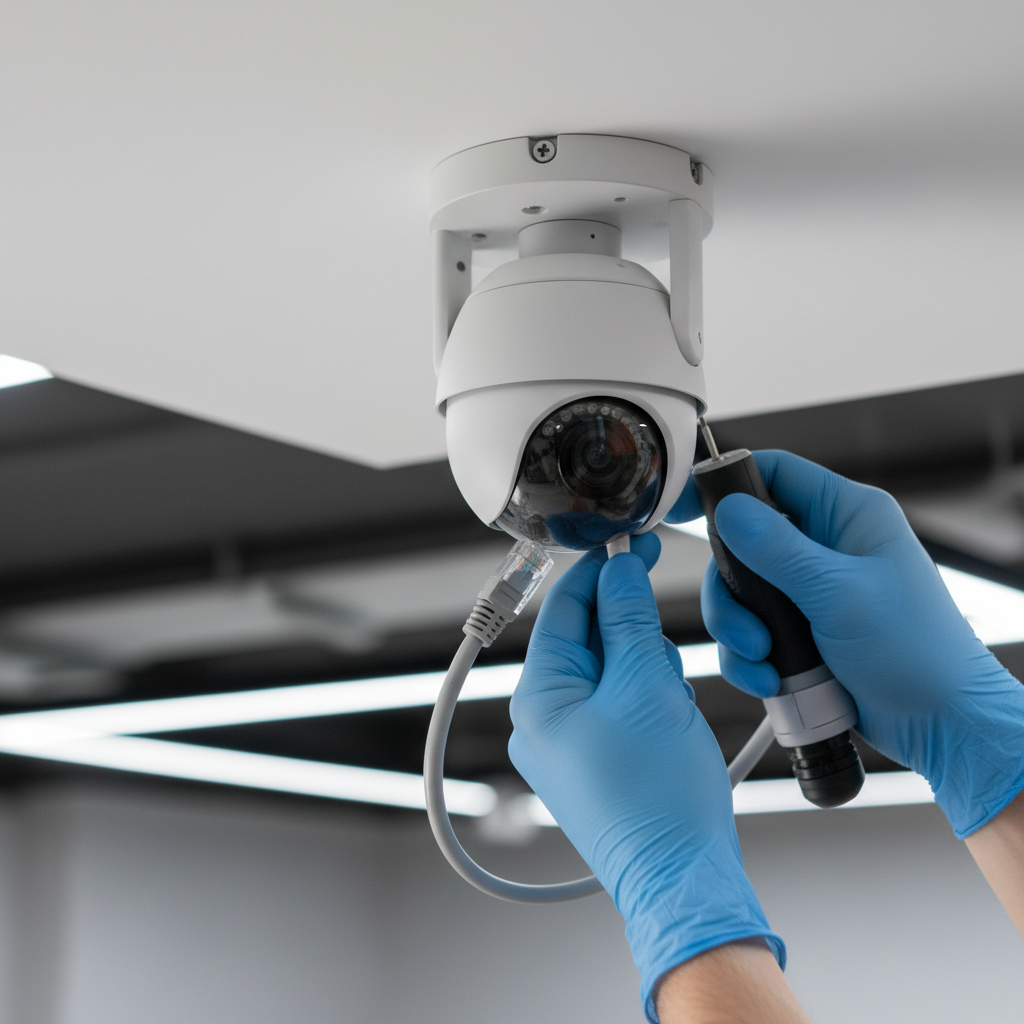
5) Mount, Aim, and Label for Forensics
- Heights: 9–12 ft for domes (interiors), 12–16 ft for bullets (exteriors), 18–25 ft for PTZs.
- Angles: Avoid extreme top-down shots; tilt for faces at entry points and hands at cash wraps.
- Anti-tamper: Use security screws, lock boxes on exposed junctions, and silicone for weather seals.
- Acceptance: Each camera has a physical label and matching VMS name: SITE-AREA-CAM##.
6) Configure the VMS: Retention, Roles, and Alerts
- Retention: Set days-per-camera based on policy and storage budgets; prioritize evidence zones.
- Permissions: Role-based access for guards, managers, and investigators; enable audit logs.
- Analytics: Tune motion sensitivity; use zones and schedules to cut false alarms.
- Acceptance: Test exports include timestamp, watermark, and chain-of-custody notes.
7) Integrate with Guards, Access Control, and Alarms
- Guard playbooks: Link camera IDs to guard posts and patrol routes. Use QR/NFC points for verification.
- Access events: Pop camera tiles on door-forced-open, invalid badges, or out-of-hours access.
- Alarm response: Route high-priority analytics to live operators for immediate verification and dispatch.
- Acceptance: Incidents include synchronized access logs, video clips, and guard notes.
8) Validate with a Night-and-Weekend Drill
- Stress test: Walk approaches after dark; drive the lot; simulate tailgating; check plate readability.
- Operator dry runs: Time-to-view and time-to-export for a mock incident.
- Fix list: Adjust aim, IR, masks, or analytics; document final settings.
- Acceptance: Leadership signs off on a short test report with screenshots and links.
9) Train, Document, and Handoff
- Job aids: One-pagers for cameras you rely on most (lobby, docks, cash wraps, gates).
- Owner’s kit: Network diagrams, VLANs, IP maps, camera/lens tables, and warranty info.
- Ongoing checks: Weekly analytics review; monthly aim/cleaning; quarterly policy refresh.
- Acceptance: You can retrieve any critical clip in under three minutes, end-to-end.
Types of Cameras, Storage, and Analytics
Pick the right mix for each area—don’t let a single camera type drive your entire design.
Camera Types and Typical Use
- Dome: Discreet, tamper-resistant; great for lobbies, corridors, and retail aisles.
- Bullet: Longer range, visible deterrence; ideal for exteriors, fences, and loading areas.
- PTZ: Pan-tilt-zoom for large yards and handoff with fixed bullets or domes.
- Fisheye/360°: Single-camera coverage of open floors and warehouses.
- Thermal/LPR: Night perimeters and vehicle gates where identification matters.
Storage and VMS Models
| Model | Best For | Pros | Watchouts |
|---|---|---|---|
| On-site NVR | Single-site, limited bandwidth | Local control, predictable | Physical access risk; plan backups |
| Hybrid (NVR + Cloud) | Multi-site with remote oversight | Centralized search, redundancy | Requires design for bandwidth peaks |
| Cloud VMS | Distributed sites, remote teams | Anywhere access, fast updates | Stable uplink and security hardening |
Analytics That Matter (Keep It Simple)
- People/vehicle detection: Cuts false alerts compared to basic motion.
- Line crossing/perimeter: Great for fence lines and closed doors after hours.
- Loitering: Triggers when someone lingers beyond set thresholds.
- Object left/removed: Useful in lobbies, docks, and storefronts.
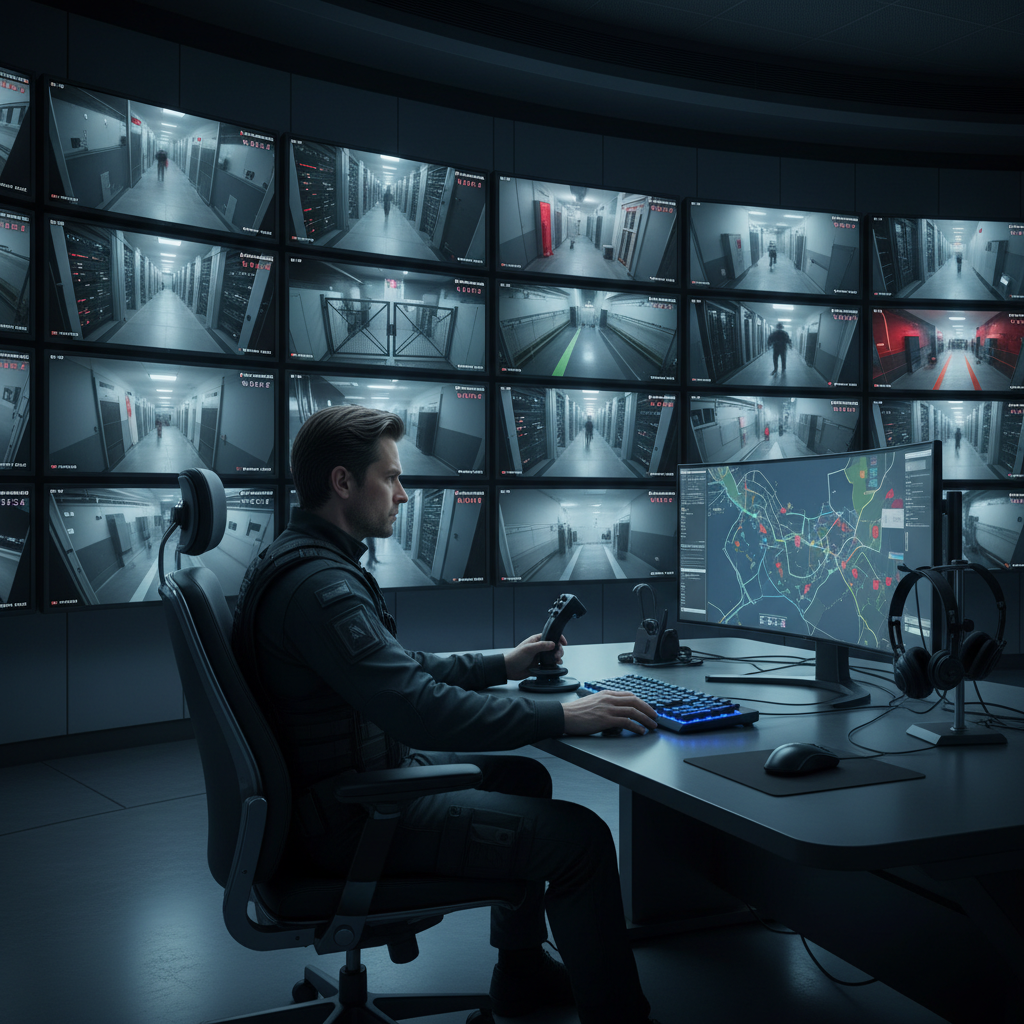
Dynamic Securities pairs practical analytics with live surveillance so real humans verify and respond in seconds, not minutes.
Best Practices That Prevent Missed Footage
These are the small, high-impact moves that separate usable video from noise.
- Standardize: Pick a small set of camera models and lenses to simplify spares and training.
- Label everything: Faceplate labels on cameras and matching VMS names save time during incidents.
- Mind the light: Backlighting at glass doors kills detail—angle to capture faces, not silhouettes.
- Use PoE injectors sparingly: Prefer PoE switches for power budgeting and UPS protection.
- Secure the network: VLANs, strong admin creds, 2FA on remote portals, and firmware cadence.
- Retention by risk: Dock cameras keep longer history than hallway cameras.
- Clean lenses quarterly: Dust, cobwebs, and rain spots ruin footage faster than you think.
- Write the policy: Who can export video? How long is it kept? Who approves shares?
- Drill nights/weekends: Validate after-hours performance; adjust IR and analytics thresholds.
Tools and Resources You Can Use Today
- Coverage checklist: Entrances, lots, docks, safes, cages, elevators, stairwells, roofs, and blind corners.
- Angle-of-view cues: Faces at 10–15 ft; plates at 30–60 ft; watch for reflections and glare.
- Network diagram template: Cameras → patch panel → PoE switch → NVR/VMS; show VLANs and UPS.
- Incident runbook: Alert → verify → dispatch guard or mobile patrol security → document → export clip.
- Acceptance script: Retrieve last night’s dock approach in under three minutes from alert to export.
- Where to start: Explore Dynamic Securities’ CCTV cameras and live monitoring options to accelerate deployment.
Get a Site-Ready Plan
Prefer a hands-on partner? Dynamic Securities can survey your site, design the PoE network, install cameras, and connect alerts to live operators and guards—so you go live with confidence.
Case Studies: Real-World Results
These brief scenarios reflect typical environments Dynamic Securities secures across major Canadian cities. Details are simplified but representative of real outcomes.
1) Retail Storefront: Shrink and Slip-and-Fall Claims
- Pain point: High shrink in aisles and returns desk; occasional slip-and-fall disputes.
- Approach: Domes with wide dynamic range in entry and returns; bullets at alleys/loading; analytics for loitering at high-risk aisles.
- Integration: Access control events pop corresponding entry cameras; guard notified through live monitoring.
- Result: Fewer blind spots, faster verification, cleaner evidence for claims.
2) Warehouse and Yard: Perimeter Breaches After Hours
- Pain point: Break-ins through the fence line and dock doors overnight.
- Approach: Bullet cameras covering fence runs; PTZ for auto-patrol; line-cross analytics and IR illumination.
- Integration: After-hours alerts route to live operators, who coordinate with mobile patrols and on-call supervisors.
- Result: Faster detection and response across a wide perimeter with searchable audits.
3) Construction Site: Night Watch and Tool Theft
- Pain point: Randomized night access and tool losses.
- Approach: Temporary poles, thermal coverage of perimeter, and locked material cages in camera view.
- Integration: Live operators escalate to mobile patrol security on suspicious activity; supervisors receive incident clips for follow-up.
- Result: Reduced tool theft and documented site conditions during disputes.
4) High-Rise Residential: Tailgating and Package Rooms
- Pain point: Unauthorized entry behind residents; package room disputes.
- Approach: Domes aimed for face capture at lobby doors; fisheye in package room.
- Integration: Door-forced and multi-badge failures auto-display lobby feeds for concierge and guards.
- Result: Better control of access points and verifiable package handling.
5) Corporate Office: HR Investigations and Parking Decks
- Pain point: Intermittent workplace incidents; poorly lit parking decks.
- Approach: WDR domes at entries; bullets with IR in garages; analytics for loitering.
- Integration: HR and security have role-based access; exports remain audit-logged.
- Result: Faster, cleaner investigations and safer employee access.
6) Logistics Cross-Dock: Chain-of-Custody and Driver Gates
- Pain point: Disputed shipments and unauthorized yard access.
- Approach: License plate recognition at gates; bullets along dock lanes; PTZ over yard.
- Integration: Access control logs align with video; dispatch triggers guard intercepts when needed.
- Result: Clear chain-of-custody and fewer gate incidents.
FAQ
- How many cameras do I need for a small retail store?
Map entrances/exits, cash wrap, high-shrink aisles, backroom, and the lot facing your storefront. Many stores start with 6–10 cameras mixing domes (interior) and bullets (exterior). Prioritize face capture at doors and overview in aisles. - What’s better—NVR on-site or cloud VMS?
On-site NVRs are simple for single sites and limited bandwidth. Cloud VMS shines for multi-site operations and remote teams. Hybrids offer local recording plus centralized search. Choose based on bandwidth, team access, and retention policy. - Where should I mount cameras for best results?
Use 9–12 ft for interior domes, 12–16 ft for exterior bullets, and 18–25 ft for PTZs. Avoid steep top-down angles at entries; you want faces, not just heads. Keep lenses clean and away from bright backlighting. - How do AI analytics reduce false alerts?
People/vehicle detection, loitering, and line-crossing focus alerts on meaningful motion. Combine zones with schedules so forklifts at noon don’t trigger after-hours alarms. Then route critical events to live operators for verification. - Can Dynamic Securities connect cameras with guards and access control?
Yes. We integrate CCTV with guard tours, access events, and alarm response. That means verified entries, faster dispatch, and better incident reports—supported by real-time guard tracking and transparent reporting.
Local Tips
- Tip 1: Position exterior bullets to cover approaches from public sidewalks and alleys near your loading doors; verify plate readability on the drive lanes you actually use.
- Tip 2: Test night performance during winter-like conditions (earlier sunsets, colder temps). Check IR reflection on snow, wet pavement, or glass to avoid glare.
- Tip 3: If your sites span multiple cities, standardize models and naming so operators and relief guards can navigate views quickly across locations.
IMPORTANT: These tips align with Dynamic Securities’ integrated guard, CCTV, and live monitoring services across major Canadian cities.
Key Takeaways
- Start with risks and measurable outcomes—don’t jump straight to hardware.
- Design PoE networking and retention policies alongside camera picks.
- Mount for faces, label meticulously, and drill after-hours response.
- Connect CCTV with guards, access control, and alarms for a complete loop.
- Use a partner like Dynamic Securities to accelerate planning and go-live.
Related Articles
- Access Control and CCTV: Building a Single Source of Truth
- Live Surveillance vs. Recording Only: When Human Verification Wins
- Security Guard Playbooks: How to Link Tours to Camera IDs
- Warehouse Security Essentials: Cameras, Lighting, and Patrols
Need a Fast, Proven Rollout?
Dynamic Securities can assess your site, install cameras, and stand up live monitoring tied to guard operations. Start with our CCTV cameras page and request a walkthrough plan.


