

You’re responsible for keeping people safe and operations running without friction. Access control systems for businesses are how you decide who gets in, where, and when—then prove it with clear records. In this complete guide, we explain what access control is, how it works, and how Dynamic Securities designs and installs access control that integrates with trained guards, AI detection, CCTV, live surveillance, and rapid emergency response across Canadian sites—using simple, practical steps you can apply today.
Overview
- What you’ll learn: Definitions, components, system types, best practices, rollout steps, integrations, and real examples.
- Who this is for: Property managers, business owners, operations leaders, and facility teams across commercial offices, retail, warehouses, construction sites, condos, and events.
- Why it matters: Reduce theft, stop unauthorized entry, support investigations, and keep people and property safe—without slowing day-to-day work.
- What we cover: Door hardware, controllers, credentials, cloud vs on-prem, visitor flows, audit trails, role-based permissions, and AI-enhanced monitoring.
Quick Answer
Access control systems for businesses manage who can enter which areas and when, backed by logs and alerts. Dynamic Securities designs and installs access control with integrated guards, CCTV, AI detection, and 24/7 monitoring across Canada to secure offices, retail, warehouses, construction sites, and residential buildings.

Local Tips
- Tip 1: For busy downtown towers and retail near major transit hubs or arenas, use turnstiles and visitor pre-registration to prevent lineups and tailgating during rush periods.
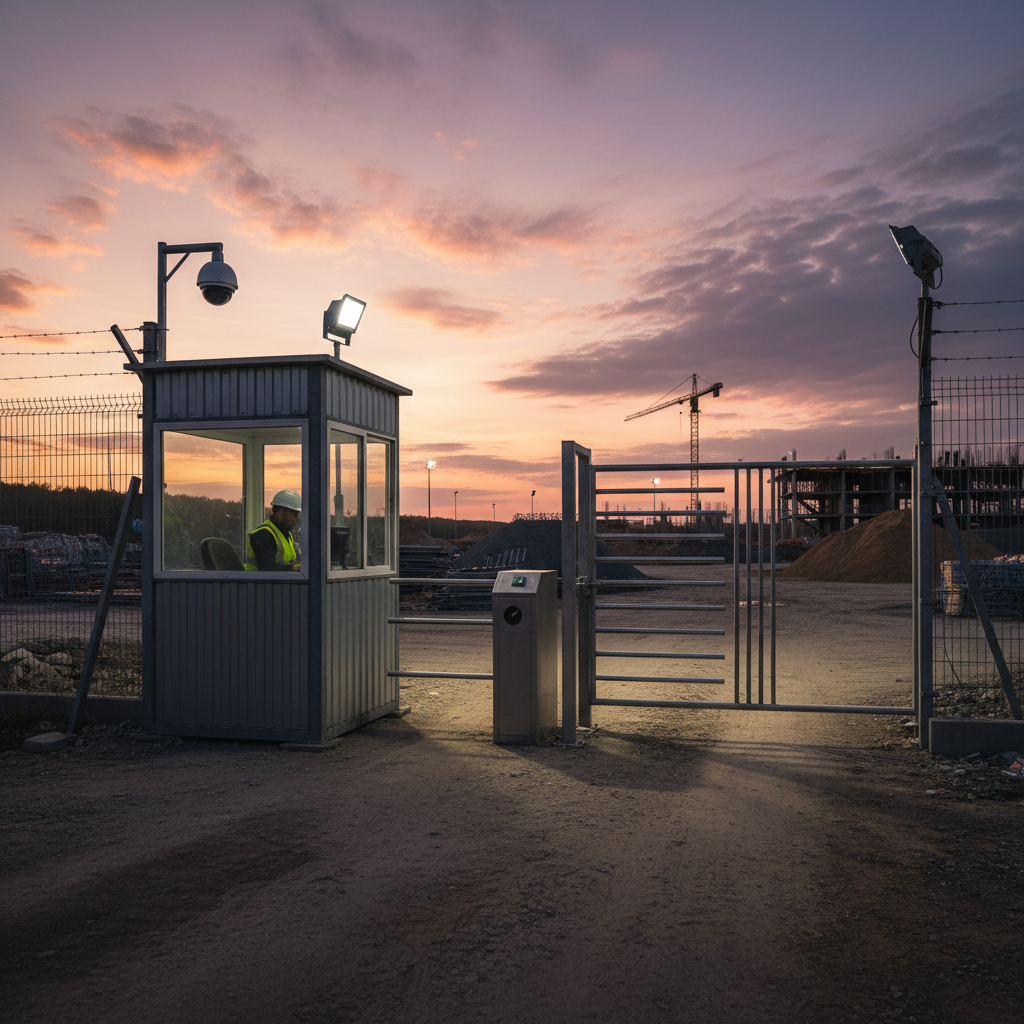
- Tip 2: Construction sites and warehouses facing harsh winters should choose full-height turnstiles, heated readers, and weatherproof maglocks to keep access reliable year-round.
- Tip 3: Residential condos and mixed-use buildings benefit from separate delivery entrances with time-windowed access for couriers to reduce lobby congestion and security risks.
IMPORTANT: Dynamic Securities supports design, installation, guard staffing, and 24/7 monitoring so your access plan stays consistent across sites.
What Is an Access Control System for Businesses?
Access control is the set of policies and technologies that determine who can enter a space, when they can enter, and which areas they are allowed to use. It replaces keys with auditable credentials like cards, mobile passes, PINs, or biometrics—and connects doors, gates, and turnstiles to centralized software.
- Core purpose: Grant or deny entry based on role, time, and location, while creating a searchable history of events.
- Components:
- Credentials (key cards, fobs, mobile, PIN, biometrics)
- Readers (RFID, NFC, BLE, biometric scanners)
- Door hardware (maglocks, electric strikes, crash bars, turnstiles, gates)
- Door controllers and panels (local decision-making and connectivity)
- Software (on-premises servers or cloud platforms)
- Monitoring (CCTV, AI analytics, live operators, alarm response)
- Business outcomes:
- Security: Deter intruders, stop tailgating, and respond quickly to events.
- Operations: Reduce key management headaches; automate opening/closing schedules.
- Compliance: Maintain audit trails and visitor logs for investigations and policy reviews.
Dynamic Securities integrates access control with trained guards, CCTV cameras, AI detection, and live surveillance to create layered protection that’s stronger than any single measure on its own.
Why Access Control Matters (2026)
Threats have grown more complex, and many properties operate with mixed tenants, flexible hours, and frequent deliveries. A modern system helps you adapt without sacrificing safety.
- Reduce theft and vandalism: Lock down sensitive zones (stockrooms, server rooms, cages) and log every attempt.
- Control high-traffic entries: Turnstiles plus visitor management keep lobbies moving and secure.
- Support investigations: Pair entry logs with video bookmarks to see who entered, when, and what happened next.
- Enable flexible work: Time-based and role-based permissions adjust quickly for contractors and hybrid staff.
- Improve accountability: Real-time dashboards show door status, alarms, and guard response steps.
- Strengthen life safety: Fail-safe hardware, emergency unlocks, and guard procedures keep exits clear.
- Scale across sites: A single platform manages multiple buildings and temporary locations (events, pop-ups).
Clients come to Dynamic Securities with recurring pain points—unauthorized access, after-hours incidents, and limited visibility into who was on-site. Our combination of access control, professional CCTV installation, and 24/7 monitoring addresses these challenges head-on.
How Access Control Works
Here’s the typical flow from approach to audit—what happens in a few seconds at a reader becomes a complete record your team can trust.
- 1) Approach: A person presents a credential (card, phone, PIN, or biometric) to a reader.
- 2) Validate: The reader sends data to a door controller, which checks permissions (role, schedule, anti-passback).
- 3) Decide: If valid, the controller releases the lock; if not, it denies and may trigger an alert.
- 4) Record: The event (who, where, when, result) is logged and available for reporting.
- 5) Monitor: Operators or guards view alerts; integrated cameras show live video of the door.
- 6) Respond: If something’s wrong (forced door, tailgating), guards investigate and document the outcome.
Dynamic Securities configures door groups, schedules, and user roles so your daily operations are smooth—opening lobbies at set times, granting contractors short-term access, and automating overnight lockups with audit-ready trails.
Types of Access Control Systems and Methods
Different environments need different combinations of credentials, hardware, and software. Here’s how to match options to real-world sites.
Credential Options
- Key cards and fobs (RFID/NFC):
- Fast and familiar for offices, retail, and warehouses.
- Best practice: use encrypted formats; rotate lost/stolen credentials immediately.
- Mobile credentials (BLE/NFC):
- Use smartphones as badges; simplifies issuance and revocation.
- Great for contractors and multi-tenant buildings with frequent changes.
- PIN codes (keypads):
- Low-friction for low-risk areas; pair with video for verification.
- Rotate PINs regularly; avoid shared codes where possible.
- Biometrics (fingerprint, face, iris):
- High assurance for data centers and high-security rooms.
- Consider privacy, consent, and backup method (card/phone) for exceptions.
System Architecture
- On-premises server:
- Full local control; ideal for sites with strict data policies.
- Requires IT ownership of updates, backups, and uptime.
- Cloud-managed:
- Remote management for multiple sites; rapid updates and scalability.
- Perfect for portfolios and distributed teams.
- Hybrid:
- Local decision-making with cloud dashboards; resilient and flexible.
- Common in critical facilities that still need central oversight.
Door and Perimeter Hardware
- Electric strikes and maglocks: Core door locking mechanisms for offices and interior spaces.
- Turnstiles and speed gates: Control high-traffic lobbies, prevent tailgating, and speed throughput.
- Full-height turnstiles and gates: Best for construction sites and yards to stop climb-overs.
- Vehicle gates and barrier arms: Manage parking access, deliveries, and after-hours entries.
Policies and Controls
- Role-based access control (RBAC): Map permissions to job roles; new hires inherit the right doors instantly.
- Time schedules and holidays: Automate openings/closings and restrict after-hours access.
- Anti-passback and occupancy: Prevent re-entry abuses and monitor headcounts for safety.
- Visitor management: Pre-register guests, issue QR/mobile passes, and capture approvals.
- Two-person rule / dual auth: Require two authorized people to access high-risk areas.
Best Practices for Access Control Success
These practices keep systems secure, maintainable, and easy to use—for your staff and visitors.
- Start with a risk assessment: Identify critical areas, traffic patterns, and compliance obligations before choosing gear.
- Use layered security: Pair doors with cameras and, where needed, guards to verify and respond in real time.
- Standardize hardware and readers: Simplify spares and service; choose open protocols (e.g., OSDP) over legacy-only options.
- Encrypt credentials and communications: Prefer secure card formats and encrypted reader-controller links.
- Adopt least privilege: Grant the minimum necessary access; review high-privilege users quarterly.
- Automate provisioning and deprovisioning: Integrate with HR/IT to remove access when employment changes occur.
- Rotate shared codes and service credentials: Replace temporary access promptly; keep a change log.
- Monitor for anomalies: Alerts for door-forced, propped-open, and repeated denied attempts—paired with camera views.
- Maintain door hardware: Test egress, adjust door closers, and clean maglock surfaces on a routine schedule.
- Document SOPs: Write step-by-step procedures for alarms, power loss, evacuations, and lockouts.
- Train front-of-house teams: Concierge and reception staff should spot tailgating and escalate correctly.
- Audit regularly: Quarterly reviews of logs, users, and exceptions catch drift before it becomes risk.
- Plan for failover: Battery backups, local decision-making, and emergency unlocks keep safety first.
- Protect the perimeter: Fences, lighting, cameras, and signage deter threats before they reach the door.
- Integrate incident response: Pair access alerts with trained guards and documented playbooks.
Tools and Resources (What We Use and Recommend)
We focus on open, reliable, and supportable technology—so you’re not locked into proprietary dead-ends.
- Standards and protocols:
- OSDP for secure reader communication; Wiegand only where legacy demands.
- ONVIF for camera interoperability with video management systems (VMS).
- Credential management: Card issuance workflows, mobile pass provisioning, and revocation logs.
- CCTV and video integration: Door events trigger camera bookmarks; operators get instant visual context. See our CCTV installation guide for design tips.
- AI analytics: Person detection, loitering, and tailgating alerts feed live monitoring for quicker response. Learn more in our AI security explainer.
- Live monitoring: 24/7 operators handle alerts, dispatch guards, and document incidents for your records.
- Visitor management: Pre-reg portals, approval flows, and badge-printing (or QR/mobile) at reception.
- Reporting and dashboards: Occupancy counts, door status, exception trends, and compliance-ready exports.
Need a practical access plan?
Book trained guards, coordinate installation, and activate 24/7 monitoring with one partner.
Real-World Examples Across Industries
These mini-scenarios show how Dynamic Securities blends technology with trained personnel to solve everyday security problems.
- Commercial office lobby: Speed gates plus mobile credentials eliminate lineups; reception sees pre-registered visitors; CCTV validates exceptions; guards respond to tailgating alerts.
- Retail and loss prevention: Stockroom access is role-based; events link to overhead cameras; managers get daily exception summaries for shrink analysis.
- Warehouse and yard: Full-height turnstiles at fence line; vehicle gates with license capture; after-hours entries require two-factor (card + PIN) and trigger live checks.
- Construction site: Rugged turnstiles and badge issuance at the trailer; subcontractor access expires weekly; site headcounts feed safety briefings and muster reports.
- Residential condominium: Separate courier door with time windows; elevator controls restrict floor access; concierge monitors live dashboards and dispatches patrols.
- Corporate event or temporary site: Portable gates and mobile credentialing; guest lists sync to tablets; logs archived to support post-event reviews.
- Data room or high-security lab: Dual-auth (two-person rule) with biometrics; cameras auto-bookmark every access; alerts escalate to on-site supervisors.
- Multi-tenant complex: Per-tenant partitions in a single platform; central security sees door states and alarms without accessing tenant private areas.
Comparison: Choosing the Right Credential
| Credential | Security Level | User Convenience | Great For | Backup / Failure Mode |
|---|---|---|---|---|
| Encrypted key card/fob | Medium–High | High | Offices, retail, warehouses | Reissue card; maintain visitor cards |
| Mobile credential (phone) | High (with device security) | High | Multi-tenant, contractors | Temporary card or PIN |
| PIN code | Low–Medium | Medium | Low-risk areas, backups | Rotate; pair with video |
| Biometrics | Very High | High | Data rooms, labs | Fallback card/phone method |
Implementation: A Practical 6-Phase Rollout
Use this step-by-step plan to deploy or upgrade access control without disrupting daily operations.
- Phase 1 — Assessment: Walk the site, diagram entries, identify high-risk areas, and interview front-line staff.
- Phase 2 — Design: Choose hardware, reader standards, door groups, schedules, and integrations (CCTV, alarms, intercoms).
- Phase 3 — Pilot: Equip a small area; issue test credentials; validate user experience and alarms with cameras and guards.
- Phase 4 — Deploy: Staged installation by building zone; keep emergency egress and business hours in mind.
- Phase 5 — Train: Teach reception, concierge, and supervisors how to enroll users, respond to alerts, and escalate.
- Phase 6 — Optimize: Review logs after 30–60 days; tune schedules, exceptions, and maintenance routines.
Dynamic Securities handles the full lifecycle—assessment, installation, guard staffing, monitoring, and updates—so your team can focus on operations while we keep the system reliable.
Integrations That Multiply Security Value
Your access control becomes much more powerful when it’s connected to the rest of your security stack.
- CCTV cameras: Link door events to live and recorded video to verify incidents and speed investigations.
- AI detection: Detect tailgating, loitering, and after-hours movement; route smart alerts to operators.
- Live surveillance (24/7): Trained operators watch dashboards, dispatch guards, and document actions.
- On-site guards: Professional presence to deter threats, assist visitors, and manage escalations.
- Alarms and sensors: Door-forced, propped-open, and glass-break alerts unify under one response plan.
- Intercoms and visitor kiosks: Streamline deliveries and guest check-ins with audio/video verification.
- Emergency response: Documented playbooks for lockdowns, evacuations, and first-responder handoff.
To see how monitoring ties it all together, explore our guidance on end-to-end protection in the GTA via our regional guard services overview.
Frequently Asked Questions
- How do I choose the right access control for multiple buildings?
Prioritize a cloud-managed or hybrid platform with role-based access control and site-level partitions. Standardize readers and credentials. Use shared policies (time zones, holidays) and keep local decision-making at critical sites for resilience. - What’s the best way to handle visitors and contractors?
Use pre-registration with mobile or QR credentials, approval workflows, and expiration rules. Pair check-ins with CCTV. For contractors, require short-term access, two-factor for high-risk zones, and ensure deprovisioning happens on schedule. - Should we switch from cards to mobile credentials?
Mobile is convenient and secure when paired with device protections. Many clients run both: cards for everyday users and mobile for flexible groups or temporary projects. Keep a backup method (PIN or temporary cards) for exceptions. - How often should we audit users and permissions?
Quarterly is a solid baseline. Audit admin-level accounts monthly. Remove dormant users, rotate shared codes, and review exception logs to catch policy drift before it becomes risk. - How does access control support emergency response?
Systems can unlock designated egress points, log mustering, and flag doors held open. Guards and operators follow playbooks to secure or evacuate areas, coordinate with first responders, and document the incident thoroughly.
Conclusion
When access control is done right, it removes friction while adding real protection. With Dynamic Securities, you get trained guards, CCTV, AI analytics, live monitoring, and emergency response integrated with access control installation and configuration—so your doors work for people who belong there and stop those who don’t.
- Key takeaways:
- Match credentials and hardware to risk, traffic, and environment.
- Use role-based permissions, least privilege, and routine audits.
- Integrate cameras, AI detection, and live operators for faster response.
- Plan rollouts in phases; document SOPs and train front-line teams.
- Combine technology with professional guards for layered, reliable security.
Next step: If you manage offices, retail, warehouses, construction sites, residential condos, or events, we’ll help you design an access plan that scales. Book a guard-backed access assessment and align your doors, policies, and monitoring in one motion.
Related Articles
- Designing a Visitor Management Process That Actually Works
- How to Prevent Tailgating With Policy, Tech, and People
- Cloud vs. On-Prem Access Control: What Facility Teams Should Know
- Security Checklists for New Tenants and Contractors


